When a redesign becomes an SEO migration
A new color palette or CSS layout is not the same as a domain move. Migration risk rises when page paths, domains, server rendering, canonical tags, navigation structures or the way assets are delivered change. A common failure is to ship a modern homepage while the old service pages become 404s or redirect to an irrelevant destination.
Google's site migration documentation recommends a full URL inventory, mapping old pages to new URLs, server-side permanent redirects and post-launch monitoring. Treat those steps as release engineering, not an optional SEO task left until after the website goes live.
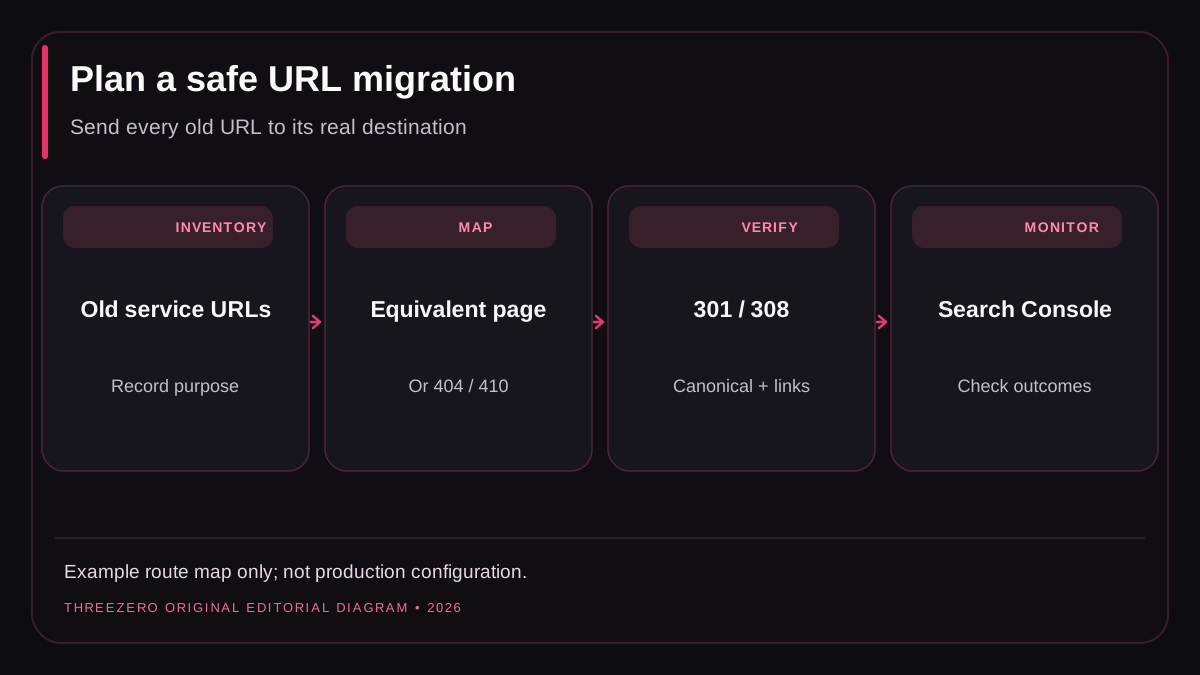
Before design starts: inventory what exists
Collect URLs from the existing sitemap, CMS, Search Console, analytics landing-page reports and server logs where available. Include pages reached from old backlinks or customer bookmarks even when they are no longer visible in navigation. Record significant image and PDF URLs if they will move, because links to those assets can matter to real visitors.
Build a spreadsheet with: old URL, HTTP status, canonical URL, page purpose, current content owner, proposed destination, redirect decision, internal-link update, test result and launch reviewer. Distinguish a page with a true equivalent from a permanently retired offering. A URL should not be sent to the homepage simply because somebody has not yet designed a replacement.
| Original URL | Target behavior | Reason |
|---|---|---|
| /services.html | 301 to /services | Equivalent overview |
| /old-drain-service | 301 to matching new service, if available | Relevant replacement |
| /cancelled-offer | 404 or 410 | No honest replacement |
These paths demonstrate mapping decisions, not an assertion that ThreeZero runs those illustrative services.
During implementation: protect content and indexing
- Make intended public pages readable without login, including their meaningful server-rendered text.
- Keep important service descriptions, client questions and genuine evidence during the redesign.
- Use a single intended canonical URL per public page and avoid canonicalizing everything to home.
- Link directly to new URLs from navigation, relevant article text and the footer.
- Verify visible content matches supported structured data.
- Keep sitemap generation synchronized with published CMS records.
- Make image and video paths work, with dimensions reserved to reduce layout movement.
- Check the staging noindex strategy does not leak into production.
- Test the entire contact form journey, not only its visual appearance.
A client-rendered application can look correct in a browser while the raw HTTP response lacks useful page content. Inspect both when migrating to a different framework. Also review responsive menus, script failures and CSS caching, which can break mobile content without returning an HTTP error.
Permanent redirects and real 404 responses
Use HTTP 301 or 308 where a genuine page replacement exists. Avoid chains such as old A to old B to new C when one hop will do. Do not redirect deleted unrelated pages to a generic homepage: that confuses users and can be treated as a soft 404. Keep genuine not-found responses at status 404 or 410 as appropriate, even when a branded error page is shown.
# Illustrative expected responses; not production Nginx code
GET /services.html      -> 301 Location: /services
GET /services           -> 200 Canonical: /services
GET /irrelevant-old-url -> 404
GET /admin/private-data -> access denied, never public fallback
Test effective server configuration with real HTTP requests. A checked-in Nginx snippet does not prove it was enabled in the live virtual host. A duplicate location block, default site or overbroad static root can defeat a correct application route and expose private files.
Launch-day QA: test what customers actually receive
Keep a verified backup and rollback point. After the deployment, request the homepage, commercial service pages, articles, old URLs, assets, unknown routes and the XML sitemap from the public domain. Check status, content type, canonical, indexing directives, cache behavior, cross-device layout and the contact provider. Confirm that page-specific metadata belongs to the actual URL.
For forms, verify required-field errors, a successful submission and delivery to the authorized mailbox. For an image, verify that it is not a broken hotlink and that its alt text describes what the image actually shows. For old pages, check that the redirect resolves directly to the relevant final destination.
Monitor the first month without claiming instant success
Record the launch date and compare the same Search Console pages and query groups over equal periods. Crawl and indexing changes can take time. Review important 404s, new canonical anomalies, accidental noindex tags and traffic changes in intended customer countries. A short period of impressions or clicks cannot prove that the redesign caused a change in ranking.
Google recommends keeping permanent redirects in place for a substantial period, generally at least a year, and submitting the updated sitemap after the new site is actually accessible. Test the site's mobile contact experience as carefully as search discovery. See website development, SEO services and Search Console diagnostics for the next steps.