The strongest use cases are narrow and verifiable
A small business bot can help visitors find published service hours, explain the next step for an estimate, collect a simple non-sensitive requirement or route an enquiry to the correct department. These tasks are helpful when the answers come from current approved business data and there is a clear option to contact a person.
A plumbing company might ask a bot to help classify “blocked drain,” “water heater issue” or “request an appointment” before passing the request to an office employee. A marketing agency might route website, SEO and automation enquiries to different teams. The examples are hypothetical; they do not imply that a specific client's chatbot has passed these tests or produced any particular result.
Defining a narrow job prevents a conversational interface from appearing to know things the business never supplied. Your bot should distinguish confirmed operating facts from guesses, indicate uncertainty and avoid claiming that a human technician, lawyer or clinician reviewed an answer when none did.
Where automated answers become unsafe or frustrating
A bot is a poor sole decision-maker for safety emergencies, complex billing disputes, private account actions, legal or medical advice, high-cost quotes or emotionally charged complaints. Even in a less regulated domain, the model may misunderstand conditions, give an outdated answer or make an unsupported promise.
Keep an explicit handoff route. If a customer says “I need a human,” automation should stop its reply sequence and assign the conversation. If a user asks an unknown question, the system can say it cannot verify the answer and offer to send the request to the correct person. Repeating the same scripted message is not useful escalation.
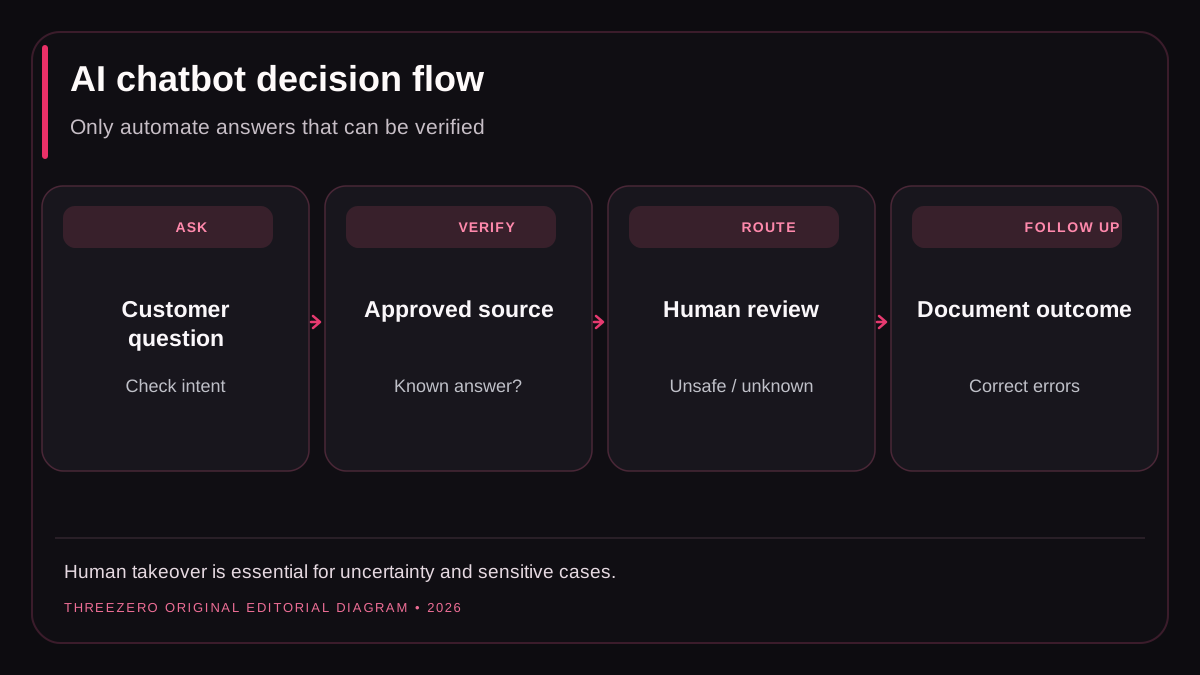
Design the source of truth before writing prompts
List what the system is allowed to say: approved services, genuine hours, locations, contact rules, published policies and common support procedures. Record who owns each fact, how changes are published and when the answer expires. A bot should never pull arbitrary draft CMS content into customer-facing answers as if it were approved.
Restrict tools and permissions. Looking up a public service page is different from creating an invoice, modifying a client record or sending an outbound message. Write an authorization check for every sensitive action and log who requested it. Avoid sending passwords, complete payment details or unrelated private conversation history to AI services.
For businesses with multiple clients or departments, enforce tenant boundaries at the data layer. Do not rely on a prompt telling an assistant not to reveal another organization's data. A correct backend permission check matters even when the model responds confidently.
What to automate, and what to escalate
| Customer request | Reasonable default | Why |
|---|---|---|
| Opening hours on an approved page | Bot answer with source | Low ambiguity, easy to verify |
| Which service fits my problem? | Basic triage plus choice of person | Classification may be incomplete |
| Final quote or exceptional discount | Human approval | Financial commitment and context |
| Emergency or safety issue | Emergency guidance and human routing | Consequences of wrong advice |
| Change another account's data | Authorized backend flow only | Privacy and security requirements |
These are illustrative operating guidelines, not a replacement for industry-specific legal and safety requirements. Review your business's obligations before deploying customer-facing automation.
Measure a chatbot honestly
Do not measure success only by the number of messages sent or the number of conversations marked “resolved” by the system itself. Sample real interactions with appropriate privacy controls. Review accuracy, successful routing, unresolved questions, human takeovers, contact-form completion, and qualified enquiries confirmed by staff.
Track failure categories such as wrong hours, unsupported pricing promises, duplicate notifications, unanswered escalation and off-topic replies. A bot that sends fewer messages but correctly hands a complicated case to a person may provide a better service than a bot that forces a long conversation.
When the bot connects to WhatsApp or a CRM, observe the provider's permission, opt-out and escalation requirements. For WhatsApp, consult the official Business Messaging Policy, which explicitly addresses consent and human escalation paths. See the WhatsApp CRM build-versus-buy guide for a channel integration decision framework.
A limited pilot with a clear stop condition
- Select five recurring customer questions with approved factual answers.
- Prepare at least ten realistic test variants for each question.
- Test missing facts, contradictory queries and inappropriate requests.
- Confirm the bot hands off promptly when the user asks for a person.
- Verify privacy, permission checks and retention behavior.
- Observe a limited pilot with human review before expanding scope.
- Roll back or disable automation when answers become inaccurate.
A useful chatbot pilot demonstrates reliability, not novelty. Explore workflow automation services or ask ThreeZero to assess a specific process with realistic boundaries and acceptance tests.