Start with the workflow, not a tool comparison
Many service businesses ask for “WhatsApp CRM software” before documenting the problem. Is the team missing enquiries while technicians are on jobs? Do three agents accidentally reply to the same person? Are follow-ups being forgotten? Does the CRM lack a reliable record of consent and completed bookings? These problems require different solutions.
Map the sequence: a customer contacts an official business channel, the system identifies the relevant conversation, a staff member confirms service area and intent, a quote or appointment is created, and the case is closed or escalated. Decide which stages genuinely require automation and which demand a trained human. Copying every incoming message into an LLM is rarely the first or safest change.
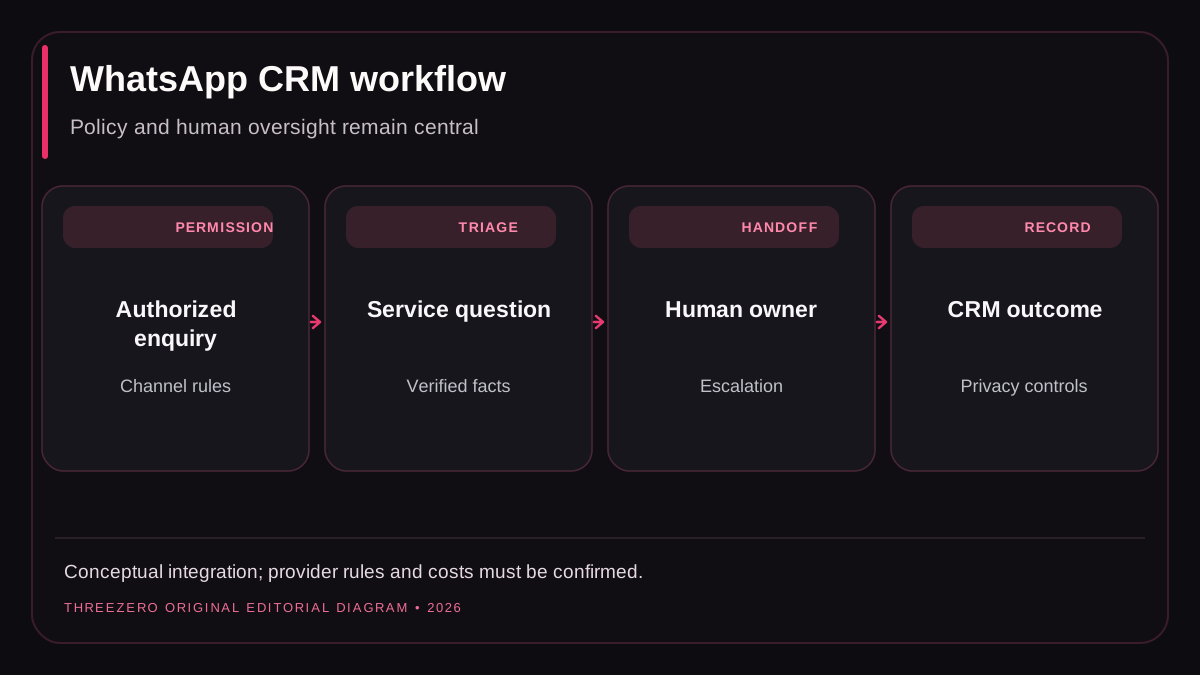
What a ready-made inbox usually solves
Buying an existing system can make sense when the requirements are ordinary: a shared inbox, conversation assignments, tags, basic automation, customer records, team roles and reports. Look for a supported official messaging integration, transparent message and seat pricing, an export mechanism, a sensible human handoff and a documented security posture.
Do not assume that a provider advertising “unlimited WhatsApp” can send unlimited outbound messages irrespective of platform rules. Channel policy, opt-in, approved templates, quality restrictions and current usage-based charges depend on the product and messaging provider. Check the official WhatsApp Business Platform pricing and Business Messaging Policy, alongside your proposed vendor contract, before buying.
Take a product demo through realistic failures: customer replies after a long delay, assigned teammate is offline, CRM API is unavailable, a duplicated webhook arrives or a person asks to stop contact. A polished happy-path demonstration does not establish operational reliability.
When building an integration is justified
Custom development becomes reasonable when a business has workflows that the available tools cannot support without awkward workarounds. Examples include two-way synchronization with a proprietary field-service schedule, strict organization-level data separation, custom quoting rules, or a documented multi-step approval process before a message is sent.
Budget for more than initial coding: credential rotation, consent records, contact deduplication, retry safety, webhook verification, queue monitoring, error alerts, channel changes, backups and staff support. If a custom build is cheaper only because those responsibilities are omitted, the estimate is incomplete.
When comparing a build with a subscription, separate one-time engineering, hosting, message-provider charges, maintenance and expected staff training. A business with a small number of messages often benefits from a mature product; a highly specialized operation may justify ownership of a constrained integration.
Build-versus-buy decision matrix
| Consideration | Buy an existing product | Build a controlled integration |
|---|---|---|
| Standard shared inbox | Usually faster | More engineering than needed |
| Custom operational process | Check extension limits | Flexible if properly specified |
| Security and uptime | Review vendor controls | Your team owns implementation and support |
| Channel policy updates | Vendor should maintain support | Direct operational responsibility |
| Data portability | Require export contract | Define schema and retention internally |
| True lifetime cost | Seats, messaging and contract | Development, hosting and maintenance |
No option is inherently superior. The right decision depends on the workflow you can explain and verify, not whether the label says “AI powered.”
Consent, data minimization and human escalation
Use authorized business messaging channels and follow the current rules for customer permission, conversation types, opt-out and relevant outbound templates. Do not scrape personal phone numbers from public directories and treat their existence as permission to send automated marketing messages. A customer's inquiry about a quote also does not automatically authorize unrelated promotional campaigns.
Limit the personal data exposed to external AI tools. Sensitive account information, payment details and unneeded conversation history should not become prompt context by default. Define how staff can inspect, correct and delete records according to the business's privacy obligations. A system should stop automation when uncertainty or a sensitive issue requires a human.
Escalation examples include safety emergencies, pricing disputes, customer requests to talk to a person and account-specific financial questions. The system should show a clear “human takeover” state and prevent the bot from replying over the agent.
An acceptance-test script before launch
- Receive one valid inbound enquiry on the approved business number.
- Verify the contact appears only once when a webhook is retried.
- Assign the conversation to a user with the correct team permissions.
- Check the reply respects approved channel and customer-consent rules.
- Simulate a CRM timeout and ensure the conversation is not lost.
- Have the customer request a human; verify bot messages stop.
- Have the customer opt out; verify future promotional sends are suppressed.
- Confirm that exports and deletions follow retention and access rules.
- Inspect reporting labels for attempted messages, delivered messages and completed appointments separately.
See lead tracking for a compatible measurement framework. For implementation work, review automation and workflows, marketing automation or describe your operational requirements.